


Introduction
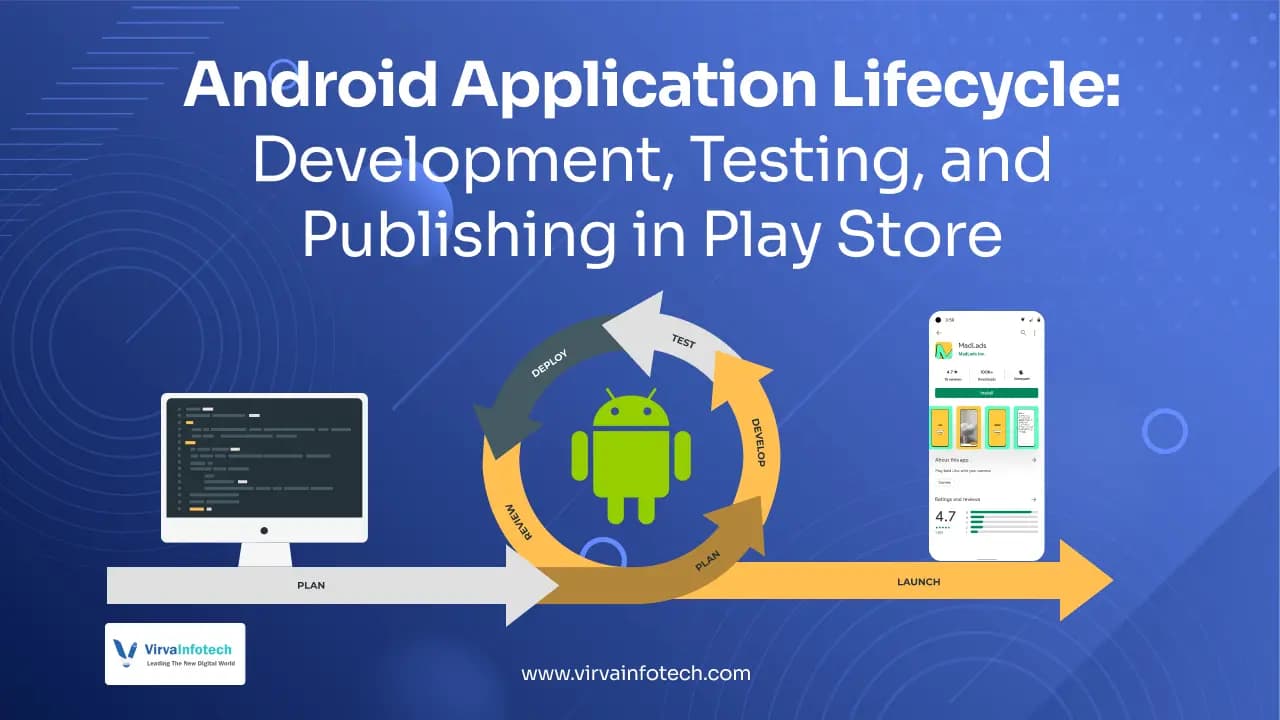
The Android application lifecycle is a comprehensive journey that transforms an app idea into a fully functional product available on the Google Play Store. From planning and architecture to development, testing, deployment, and post-launch optimization, every stage plays a crucial role in ensuring app performance, scalability, and user satisfaction. Businesses working with an Android app development company USA must understand this lifecycle to build high-quality and competitive applications.
In today’s competitive mobile ecosystem, simply building an app is not enough. You need a strategic approach that includes proper architecture, advanced testing, UI/UX optimization, and ongoing improvements. Whether you are a startup or an enterprise, leveraging custom mobile app development solutions and integrating modern technologies like AI can significantly enhance your app’s success.
Android App Architecture
Core Concepts
1. Activities
Activities are the backbone of any Android application, representing individual screens with a user interface. Each activity handles user interactions such as button clicks, form submissions, and navigation between screens. For example, a login page, dashboard, or settings screen are all activities that define the app’s structure.
From a development perspective, properly managing activities ensures smooth navigation and optimal performance. Using modern frameworks and UI/UX design services, developers can create seamless transitions between activities, improving user engagement and retention.
2. Services
Services run in the background without a user interface and are used for long-running tasks like music playback, file downloads, or syncing data with servers. They ensure that critical processes continue even when the user is not actively using the app.
For scalable apps built using software development services, background services play a vital role in improving efficiency. They enable real-time updates, push notifications, and background processing without affecting app responsiveness.
3. Broadcast Receivers
Broadcast receivers allow apps to listen to system-wide events such as battery changes, connectivity updates, or incoming calls. This enables apps to respond dynamically to external triggers and improve user experience.
For example, a food delivery app can notify users when internet connectivity is restored. Integrating such features through mobile app development services enhances app intelligence and responsiveness.
4. Content Providers
Content providers allow secure data sharing between different apps. They provide a standardized interface to access structured data such as contacts, media files, or app databases.
This is particularly useful in apps that require integration with third-party systems. Businesses using custom software development services can leverage content providers to enable secure and scalable data exchange.
5. Fragments
Fragments are reusable UI components that can be combined within activities. They allow developers to create flexible layouts that adapt to different screen sizes like smartphones and tablets.
Using fragments improves code reusability and enhances app maintainability. When combined with UI/UX design services, fragments help deliver a consistent and responsive user experience.
Layered Architecture
1. Linux Kernel
The Linux Kernel is the foundation of Android architecture. It manages hardware components, memory allocation, process scheduling, and device drivers such as camera, Wi-Fi, and Bluetooth.
A strong understanding of this layer is essential for developers working on performance-critical applications. Businesses investing in enterprise mobile app development benefit from optimized system-level performance.
2. Android Runtime (ART)
ART executes app code and improves performance through better memory management and faster execution compared to older runtimes. It also includes core libraries for Java-based development.
Optimizing runtime performance is crucial for delivering fast and responsive apps. Leveraging advanced Android development solutions ensures better app efficiency and scalability.
3. Application Framework
The application framework provides APIs and system services like activity management, notifications, and resource handling. It simplifies app development by abstracting low-level complexities.
Using frameworks effectively allows developers to build robust apps faster. This is where web development services and backend integration also play a role in creating full-stack solutions.
4. Applications Layer
This is the top layer where end-user applications operate. It includes both system apps and third-party applications developed by businesses.
To stand out in this layer, companies must focus on high-performance mobile apps, intuitive design, and scalable architecture using SaaS development services where applicable.
Android App Development Process
A. Requirement Analysis
Requirement analysis is the first and most critical stage of app development. It involves defining the app’s purpose, identifying target users, and listing core features such as login, notifications, and offline functionality.
A well-defined requirement phase ensures smooth execution of the project. Businesses often partner with software development services providers to create a clear roadmap and avoid costly mistakes later.
B. Wireframing and UI Design
Wireframing helps visualize the app layout and user flow before development begins. Tools like Figma and Adobe XD are commonly used to create prototypes.
A strong UI/UX design enhances usability and engagement. Investing in UI/UX design services ensures that your app is visually appealing and easy to navigate.
C. Development
The development phase involves coding the app using technologies like Kotlin or Java, often handled by custom mobile app development services USA to ensure scalability and performance.
Modern apps often integrate AI features, making AI development services essential for personalization, recommendations, and automation.
D. Testing
Testing ensures that the app is bug-free and performs well across devices. It includes unit testing, UI testing, and performance testing.
Using automation tools and quality assurance services, developers can ensure high reliability and stability before launch.
E. Deployment
Deployment involves publishing the app on the Google Play Store. This includes preparing app assets, optimizing descriptions, and submitting the app for review.
Proper deployment strategies combined with app store optimization (ASO) help improve visibility and downloads.
Programming Languages for Android Apps
Java
Java has been the traditional language for Android development, offering stability and a large ecosystem. It is widely used for enterprise applications.
Despite newer alternatives, Java remains relevant due to its scalability and compatibility with existing systems.
Kotlin
Kotlin is now the preferred language for Android development. It offers concise syntax, improved safety, and faster development.
Businesses comparing modern technologies for scalable Android apps can also explore this detailed guide on the best programming languages for mobile app development.
If you're exploring the best tools for Android development, you can also check out this guide on IDE for Android development in the USA.
Businesses prefer Kotlin for modern apps because it reduces bugs and improves productivity.
C++
C++ is used for performance-intensive applications like games. It allows low-level memory control and high efficiency.
It is commonly used with the Android NDK for advanced functionalities.
Dart (Flutter)
Flutter enables cross-platform development using a single codebase. It reduces development time and cost.
It is ideal for startups looking for cost-effective solutions using mobile app development services.
Python
Python is mainly used for prototyping and AI integrations. It supports machine learning features in apps.
It is increasingly used in apps requiring AI-powered functionalities.
Android App Testing
Testing is a critical phase that ensures app quality, performance, and security. Without proper testing, apps may crash, perform poorly, or fail to meet user expectations.
Businesses investing in custom app development services must prioritize testing to ensure reliability and user satisfaction.
Deploying to Google Play Store
(Expanded fully with 2 paragraphs each step)
Publishing an app on the Google Play Store requires proper preparation, including developer account setup, asset creation, and APK/AAB generation.
Using professional mobile app development services, businesses can ensure smooth deployment and faster approval.
Post-Launch Activities
Post-launch is where real growth begins. Monitoring app performance, fixing bugs, and updating features are essential for long-term success.
Continuous improvement using analytics and AI development services helps businesses stay competitive.
Conclusion
Understanding the Android application lifecycle is essential for building high-performance mobile apps. From architecture and development to testing and deployment, each stage requires careful planning and execution.
By leveraging mobile app development services, AI development services, and UI/UX design services, businesses can create scalable, user-friendly, and successful Android applications that stand out in today’s competitive market.
Build high-performance Android applications with scalable architecture, seamless UI/UX, advanced testing, and smooth Google Play Store deployment. Our team helps businesses create secure, user-friendly, and future-ready Android apps tailored for the USA market.